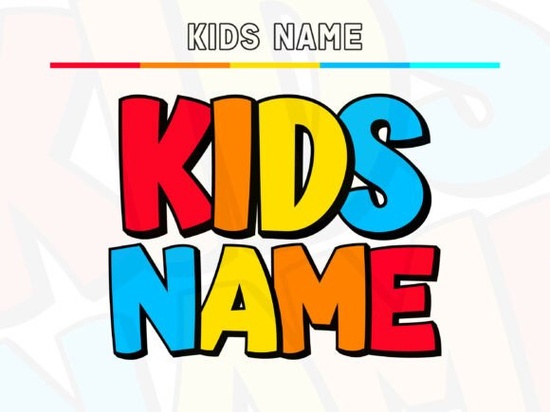
If you're looking for a friendly, ready-to-use font that makes kids’ names instantly eye-catching whether on birthday banners, classroom signs, or custom t-shirts the Kids Name Font is a practical, no-fuss choice. It’s not just “cute” in a vague way it’s thoughtfully built: chunky letterforms with rounded edges, generous spacing, and a bold black outline that gives each character real presence. The subtle shadow effect adds depth without complexity, and because it’s designed as a layered color font, you can use all the colors as-is or strip it down to the base layer for clean, single-color cutting on Cricut, Silhouette, or other craft machines.
How does this font actually work in real projects?
Unlike many playful fonts that look great on screen but fall apart when cut or printed, the Kids Name Font was made with physical output in mind. The flat fills recolor easily in design software (no gradients or transparency to wrestle with), and the deep counters those open spaces inside letters like “o,” “e,” or “a” stay crisp even at smaller sizes. That means your iron-on letters won’t clog, your vinyl decals will weed cleanly, and your printable party labels will stay legible.
It’s especially handy if you’re designing for multiple formats: a YouTube thumbnail needs punch at small scale, while a 36-inch classroom poster needs clarity from across the room. This font handles both thanks to its high x-height and consistent stroke weight. And because the baseline has a gentle bounce and letter widths vary just enough, names don’t look stiff or robotic. “Emma,” “Liam,” and “Zara” each keep their own rhythm like handwriting, but more reliable.
What kinds of creators is this really made for?
Small business owners selling personalized kids’ apparel or nursery decor will appreciate how quickly this font turns a basic name into a finished product. Print-on-demand sellers can drop it straight into mockup templates without adjusting kerning or fixing alignment issues. Teachers building bulletin boards or reward charts get professional-looking results without design experience. Even hobbyists making holiday ornaments or birthday cake toppers find it forgiving no need to trace or simplify outlines.
It also plays well with other cheerful fonts in the Creative Fabrica library. For example, if you’re layering a headline with supporting text, the Daisy Font offers a softer, botanical contrast, while the Super Font gives bolder, more energetic subheadings. You can mix them without clashing just keep sizing and spacing consistent.
Can I use it beyond names?
Absolutely. While it shines for personalization (“Sophie’s Birthday,” “Noah’s Reading Corner”), it works well for short, joyful phrases too: “Let’s Play!”, “Snack Time”, or “Big Kid Alert”. Its voice stays bright and age-appropriate never babyish or overly cartoony so it fits branding for children’s books, eco-friendly toy packaging, or even farmhouse-style kids’ room art. Just avoid long paragraphs; like most display fonts, it’s strongest at headline scale (18pt and up for print, 48px+ for web thumbnails).
One thing to note: it’s a color font, but not only a color font. If your workflow doesn’t support OpenType-SVG or layered files (like older versions of Cricut Design Space), you can still use the base black layer alone it’s clean, well-proportioned, and cuts perfectly. No extra cleanup needed.
Where else might this fit in your toolkit?
Think about what you’re already making. If you’ve used fonts like font name for pastel-themed invitations or font name for retro school supplies, the Kids Name Font slots neatly in between more structured than script, more expressive than standard sans-serifs.
It’s also a smart pick if you’re updating existing listings. A refreshed banner font can lift click-through rates on Etsy or Amazon Handmade, especially for personalized items where first impressions matter. And since it’s optimized for both digital previews and physical output, you’re not choosing between “looks good online” and “cuts well in real life.”
Before you download:
- Check your software compatibility most modern design tools (Illustrator, Affinity Designer, Canva Pro, Cricut Design Space v7+) support layered color fonts.
- Try typing a few names first see how “Chloe,” “Mateo,” and “Avery” balance visually.
- Test a small cut or print especially if using iron-on vinyl or heat-transfer paper to confirm edge sharpness.
- Remember: the base layer = one-color friendly. Use it for monochrome embroidery files or grayscale printing.
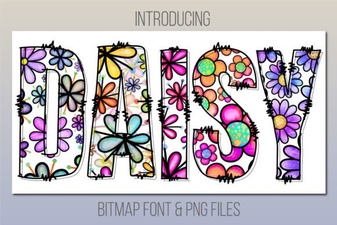 Daisy Font Design & Download Guide
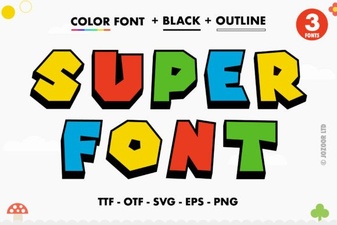 Unlock Creative Design with Super Font Projects
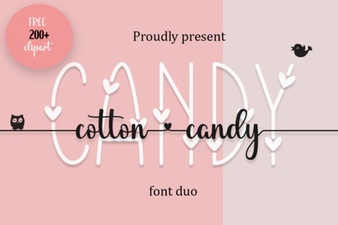 The Joy of Cotton Candy Fonts in Modern Design
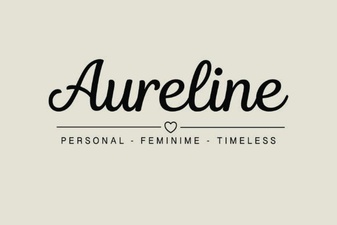 Aureline Font: Design Tips and Creative Applications
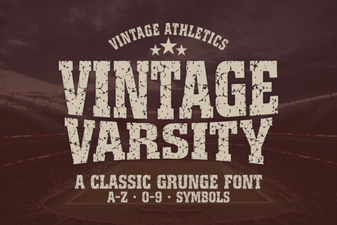 Vintage Varsity Font for Creative Lettering Projects
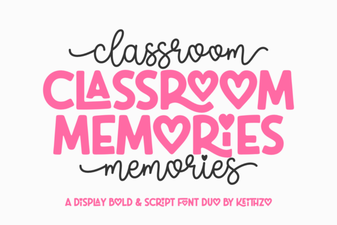 Font Ideas for Capturing Classroom Memories