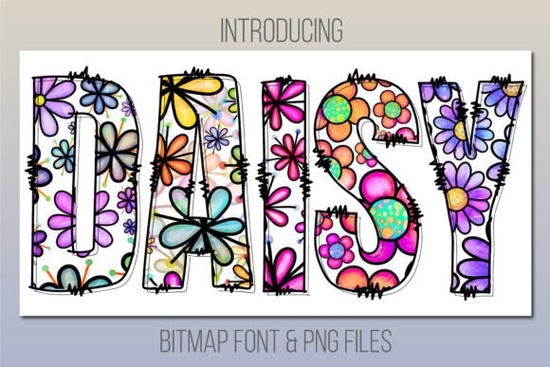
If you're looking for a cheerful, hand-drawn style font that adds instant warmth and charm to your designs, the Daisy Font is a thoughtful choice especially if you work with digital layouts where color fonts shine. It’s not a script or serif font you’d use for long paragraphs; instead, it’s a friendly daisy print color font designed to bring lightness and personality to titles, labels, invitations, and kids’ projects.
What makes Daisy Font different from other playful fonts?
Unlike standard outline fonts, Daisy is a color font (bitmap) meaning each letter includes built-in color, texture, and subtle shading, like a tiny illustrated daisy pattern baked right into the glyph. That’s why it looks so lively at a glance: no extra layering or manual coloring needed. You type, and it appears ready-to-use petals, stems, and all.
This also means compatibility matters. Daisy works smoothly in Photoshop CC 2017+, Illustrator CC 2018+, InDesign CC 2019+, and native macOS apps like Font Book, Pages, and Keynote. If you’re using older versions or software like Cricut Design Space you won’t be able to access the color font functionality. But don’t worry: the download includes high-res PNG files in the Bonus Files folder, so you can still drop individual letters into Canva, Silhouette Studio, or even PowerPoint without hassle.
Who is Daisy Font best suited for?
Designers building mood boards, social media banners, or branding mockups will appreciate how quickly Daisy adds character without overcomplicating the layout. Its consistent weight and rounded forms make it highly legible even at smaller sizes so it holds up well on digital ads or mobile thumbnails.
Crafters and small businesses creating printable party kits, nursery art, or custom stickers often need fonts that feel handmade but stay crisp when scaled. Daisy delivers that balance: it’s whimsical enough for baby shower invites yet clean enough for product tags or boutique packaging.
Print-on-demand sellers and educators will find it especially useful for themed collections think spring bundles, floral stationery, or early-learning resources. Since it pairs well with simple sans-serifs (like Montserrat or Poppins) and soft pastel palettes, it integrates easily into existing design systems.
How does Daisy fit into Creative Fabrica’s colorful font collection?
Daisy joins a growing set of expressive, ready-to-use color fonts on Creative Fabrica including options like Rainbow Font and Watercolor Font. If you enjoy Daisy, you’ll likely appreciate browsing the broader collection of super fonts, where many include bonus PNGs, alternate glyphs, or multilingual support. And since Daisy is part of the kids’ name font category, it’s ideal for personalized growth charts, classroom name tags, or birthday signs.
Practical tips before you download
- Double-check your software version Daisy won’t activate as a color font in unsupported apps.
- Use the included PNGs if you need transparency, layer control, or compatibility with non-Adobe tools.
- For best results in Illustrator or Photoshop, select the font from the Character panel (not the Type tool preview), and avoid outlining the text unless absolutely necessary this preserves the color data.
- Pair Daisy with minimal backgrounds. Busy textures or clashing patterns can compete with its cheerful detail.
It’s worth noting that while Daisy isn’t meant for body copy or logos requiring fine scaling, it excels where personality matters most: headlines, short quotes, product names, and visual accents. If you’ve used fonts like Daisy Font before or are just starting to explore color fonts you’ll notice how little setup it takes to go from blank canvas to finished piece.
One last thing: if you’re new to color fonts, try opening the OTF file in Font Book (Mac) first it’ll show a preview and confirm installation. Then test it in your main design app with a simple “Hello” to see how the daisies render. No plugins, no extra steps just friendly, flower-filled typography, ready when you are.
Before you start designing: Make sure your software is up to date, grab the PNGs as backup, and keep your color palette light and airy to let Daisy’s charm shine through.
Try It Free Find the Perfect Kids Name Font for Your Project
 Unlock Creative Design with Super Font Projects
 The Joy of Cotton Candy Fonts in Modern Design
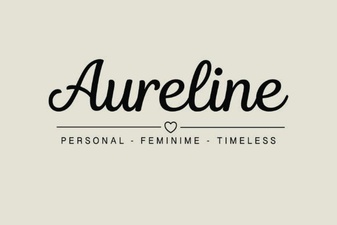 Aureline Font: Design Tips and Creative Applications
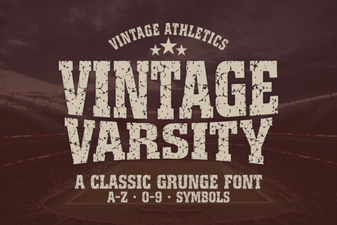 Vintage Varsity Font for Creative Lettering Projects
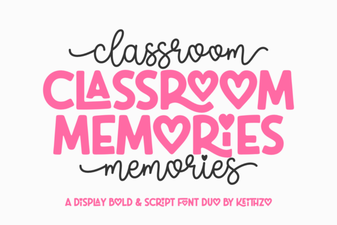 Font Ideas for Capturing Classroom Memories