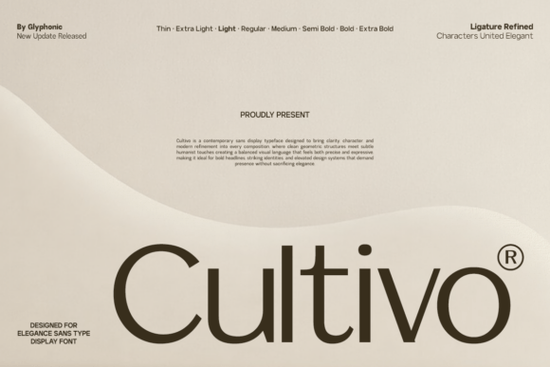
If you're looking for a clean, modern sans-serif font that works well for branding, social media graphics, or print-on-demand designs without feeling cold or overly technical you’ll likely appreciate Cultivo Font. It’s not just another geometric sans. Designed with subtle humanist details, it balances precision and warmth in a way that feels intentional, not generic. Whether you’re building a small business logo, designing product labels, or crafting Instagram story templates, Cultivo brings quiet confidence not flashiness.
What makes Cultivo different from other display sans-serifs?
Many contemporary fonts lean hard into geometry perfect circles, uniform stroke widths, rigid proportions. Cultivo starts there but adds gentle refinements: slightly varied terminal shapes, carefully tuned letterfit, and elegant ligatures (like “fi”, “fl”, and “ff”) that appear automatically in compatible software. These aren’t decorative flourishes they improve rhythm and readability at larger sizes, especially in headlines or short phrases.
Its x-height is generous but not overwhelming, and its lowercase “a” and “g” have soft, open forms that avoid the robotic feel of ultra-minimalist fonts. That makes it more approachable for lifestyle brands, wellness studios, or handmade product packaging where personality matters as much as polish.
Where does Cultivo work best?
Think about where your audience first sees your brand: a Shopify banner, a Canva social post, a sticker on a ceramic mug, or a PDF lookbook. Cultivo shines in those contexts because it scales cleanly from 24pt web headers to 120pt vinyl decals and holds up even when printed at lower resolutions.
- Brand identities: Logos, wordmarks, and sub-brands benefit from its balanced weight distribution and restrained contrast.
- Editorial use: Magazine covers, blog headers, or newsletter banners gain clarity without sacrificing character.
- Product mockups: Works well over textured backgrounds or alongside hand-drawn elements its structure grounds the composition without competing.
- Digital interfaces: While not built for body text, it pairs thoughtfully with neutral text fonts like minimalist sans-serifs for UI kits or dashboard headers.
How does it compare to similar fonts on Creative Fabrica?
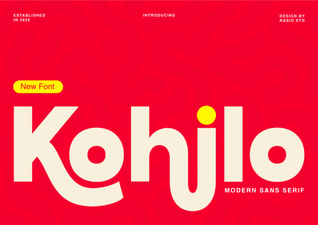
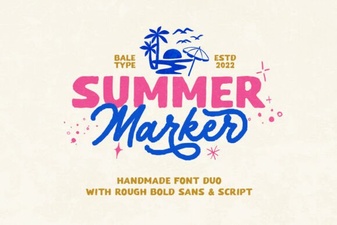
If you’ve used Summer Marker, you’ll notice Cultivo trades playful brush energy for refined control better for premium positioning, less so for casual summer vibes. Compared to Kohilo, Cultivo has tighter spacing and fewer calligraphic cues, making it more versatile across digital and print. And unlike Chopard, which leans into luxury serif territory, Cultivo stays confidently sans while still feeling elevated.
It’s also more nuanced than many “clean” display fonts that default to uniformity. You’ll see this in how the uppercase “R” has a gently curved leg, or how the ampersand (&) includes a graceful loop it’s detail-oriented, not just minimalist.
Practical tips for using Cultivo well
Start simple. Try pairing it with a straightforward text font like a classic humanist sans for body copy. Avoid stacking it with other high-contrast or highly stylized display fonts; Cultivo’s strength is its quiet authority, not loud competition.
In design tools like Adobe Illustrator or Affinity Designer, enable OpenType features (especially ligatures and contextual alternates) to unlock its full spacing and shaping behavior. In Canva, it may render without ligatures by default so preview exports carefully before finalizing.
For crafters and POD sellers: test Cultivo on mockups with realistic lighting and texture. Its even ink coverage and open counters help it hold up on fabric prints, enamel pins, and matte paper unlike some ultra-thin or tightly spaced alternatives.
Is Cultivo right for your project?
Ask yourself:
- Do you need a font that looks professional but not corporate?
- Will it be used mostly at larger sizes logos, headers, signage?
- Are you aiming for modern clarity, not retro charm or handwritten whimsy?
- Do you value consistency across platforms (web, print, mobile)?
If most answers are yes, Cultivo Font is worth testing alongside your current go-tos. It’s not flashy but it’s dependable, adaptable, and quietly distinctive.
Before downloading: Check the license terms Cultivo includes both personal and commercial use, but verify if extended licenses are needed for large-scale merchandise or client work. Also, preview the full character set (including multilingual support and symbols) to ensure it fits your language needs. And if you’re already exploring display fonts, consider pairing it with Cultivo itself as your primary headline choice and keep Kohilo handy for secondary accents or quotes.
Download Now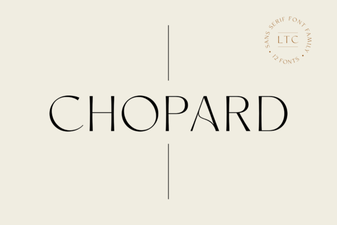 Crafting with Chopard's Luxury Font Style
 Kohilo Font: Design Ideas for Modern Projects
 Craft with Summer Marker Font Style
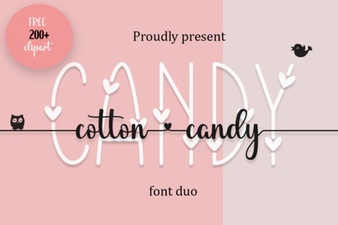 The Joy of Cotton Candy Fonts in Modern Design
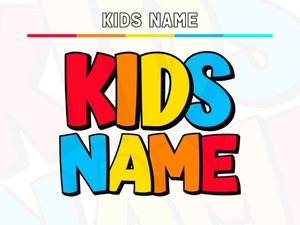 Find the Perfect Kids Name Font for Your Project
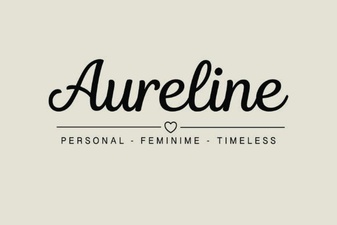 Aureline Font: Design Tips and Creative Applications